
2161 lines
49 KiB
Markdown
Executable File
2161 lines
49 KiB
Markdown
Executable File
---
|
|
comments: true
|
|
description: Complete REST API reference for Ultralytics Platform including authentication, endpoints, and examples for datasets, models, and deployments.
|
|
keywords: Ultralytics Platform, REST API, API reference, authentication, endpoints, YOLO, programmatic access
|
|
---
|
|
|
|
# REST API Reference
|
|
|
|
[Ultralytics Platform](https://platform.ultralytics.com) provides a comprehensive REST API for programmatic access to datasets, models, training, and deployments.
|
|
|
|
|
|
|
|
!!! tip "Quick Start"
|
|
|
|
```bash
|
|
# List your datasets
|
|
curl -H "Authorization: Bearer YOUR_API_KEY" \
|
|
https://platform.ultralytics.com/api/datasets
|
|
```
|
|
|
|
## API Overview
|
|
|
|
The API is organized around the core platform resources:
|
|
|
|
```mermaid
|
|
graph LR
|
|
A[API Key] --> B[Datasets]
|
|
A --> C[Projects]
|
|
A --> D[Models]
|
|
A --> E[Deployments]
|
|
B -->|train on| D
|
|
C -->|contains| D
|
|
D -->|deploy to| E
|
|
D -->|export| F[Exports]
|
|
B -->|auto-annotate| B
|
|
```
|
|
|
|
| Resource | Description | Key Operations |
|
|
| ------------------------------------------ | ----------------------------- | --------------------------------------- |
|
|
| [Datasets](../data/datasets.md) | Labeled image collections | CRUD, images, labels, export, clone |
|
|
| [Projects](../train/projects.md) | Training workspaces | CRUD, clone, icon |
|
|
| [Models](../train/models.md) | Trained checkpoints | CRUD, predict, download, clone, export |
|
|
| [Deployments](../deploy/endpoints.md) | Dedicated inference endpoints | CRUD, start/stop, metrics, logs, health |
|
|
| [Exports](../train/models.md#export-model) | Format conversion jobs | Create, status, download |
|
|
| [Training](../train/cloud-training.md) | Cloud GPU training jobs | Start, status, cancel |
|
|
| [Billing](../account/billing.md) | Credits and subscriptions | Balance, top-up, payment methods |
|
|
| [Teams](../account/settings.md#teams-tab) | Workspace collaboration | Members, invites, roles |
|
|
|
|
## Authentication
|
|
|
|
Most API requests require authentication via API key. Public endpoints (listing public datasets, projects, and models) support anonymous read access without a key.
|
|
|
|
### Get API Key
|
|
|
|
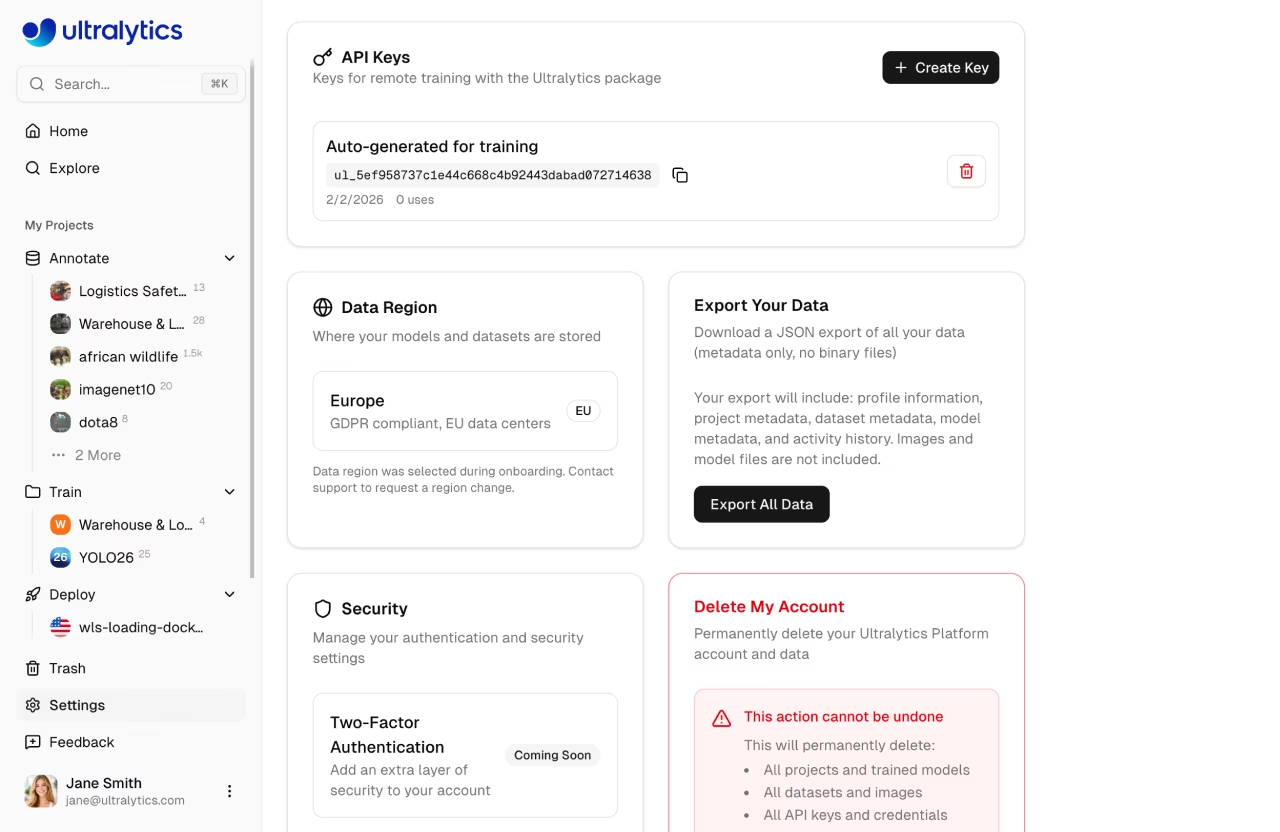
1. Go to `Settings` > `Profile` (API Keys section)
|
|
2. Click `Create Key`
|
|
3. Copy the generated key
|
|
|
|
See [API Keys](../account/api-keys.md) for detailed instructions.
|
|
|
|
### Authorization Header
|
|
|
|
Include your API key in all requests:
|
|
|
|
```
|
|
Authorization: Bearer ul_your_api_key_here
|
|
```
|
|
|
|
!!! info "API Key Format"
|
|
|
|
API keys use the format `ul_` followed by 40 hex characters. Keep your key secret -- never commit it to version control or share it publicly.
|
|
|
|
### Example
|
|
|
|
=== "cURL"
|
|
|
|
```bash
|
|
curl -H "Authorization: Bearer ul_abc123..." \
|
|
https://platform.ultralytics.com/api/datasets
|
|
```
|
|
|
|
=== "Python"
|
|
|
|
```python
|
|
import requests
|
|
|
|
headers = {"Authorization": "Bearer ul_abc123..."}
|
|
response = requests.get(
|
|
"https://platform.ultralytics.com/api/datasets",
|
|
headers=headers,
|
|
)
|
|
data = response.json()
|
|
```
|
|
|
|
=== "JavaScript"
|
|
|
|
```javascript
|
|
const response = await fetch("https://platform.ultralytics.com/api/datasets", {
|
|
headers: { Authorization: "Bearer ul_abc123..." },
|
|
});
|
|
const data = await response.json();
|
|
```
|
|
|
|
## Base URL
|
|
|
|
All API endpoints use:
|
|
|
|
```
|
|
https://platform.ultralytics.com/api
|
|
```
|
|
|
|
## Rate Limits
|
|
|
|
The API uses a two-layer rate limiting system to protect against abuse while keeping legitimate usage unrestricted:
|
|
|
|
- **Per API key** — Limits enforced per API key on authenticated requests
|
|
- **Per IP** — 100 requests/min per IP address on all `/api/*` paths (applies to both authenticated and unauthenticated requests)
|
|
|
|
When throttled, the API returns `429` with retry metadata:
|
|
|
|
```
|
|
Retry-After: 12
|
|
X-RateLimit-Reset: 2026-02-21T12:34:56.000Z
|
|
```
|
|
|
|
### Per API Key Limits
|
|
|
|
Rate limits are applied automatically based on the endpoint being called. Expensive operations have tighter limits to prevent abuse, while standard CRUD operations share a generous default:
|
|
|
|
| Endpoint | Limit | Applies To |
|
|
| ------------- | ---------------- | ------------------------------------------------------------------------------- |
|
|
| **Default** | 100 requests/min | All endpoints not listed below (list, get, create, update, delete) |
|
|
| **Training** | 10 requests/min | Starting cloud training jobs (`POST /api/training/start`) |
|
|
| **Upload** | 10 requests/min | File uploads, signed URLs, and dataset ingest |
|
|
| **Predict** | 20 requests/min | Shared model inference (`POST /api/models/{id}/predict`) |
|
|
| **Export** | 20 requests/min | Model format exports (`POST /api/exports`) and dataset NDJSON exports |
|
|
| **Download** | 30 requests/min | Model weight file downloads (`GET /api/models/{id}/download`) |
|
|
| **Dedicated** | **Unlimited** | [Dedicated endpoints](../deploy/endpoints.md) — your own service, no API limits |
|
|
|
|
Each category has an independent counter per API key. For example, making 20 predict requests does not affect your 100 request/min default allowance.
|
|
|
|
### Dedicated Endpoints (Unlimited)
|
|
|
|
[Dedicated endpoints](../deploy/endpoints.md) are **not subject to API key rate limits**. When you deploy a model to a dedicated endpoint, requests to that endpoint URL (e.g., `https://predict-abc123.run.app/predict`) go directly to your dedicated service with no rate limiting from the Platform. You're paying for the compute, so you get unlimited throughput up to your endpoint's scaling configuration.
|
|
|
|
!!! tip "Handling Rate Limits"
|
|
|
|
When you receive a `429` status code, wait for `Retry-After` (or until `X-RateLimit-Reset`) before retrying. See the [rate limit FAQ](#how-do-i-handle-rate-limits) for an exponential backoff implementation.
|
|
|
|
## Response Format
|
|
|
|
### Success Responses
|
|
|
|
Responses return JSON with resource-specific fields:
|
|
|
|
```json
|
|
{
|
|
"datasets": [...],
|
|
"total": 100
|
|
}
|
|
```
|
|
|
|
### Error Responses
|
|
|
|
```json
|
|
{
|
|
"error": "Invalid dataset ID"
|
|
}
|
|
```
|
|
|
|
| HTTP Status | Meaning |
|
|
| ----------- | ------------------------ |
|
|
| `200` | Success |
|
|
| `201` | Created |
|
|
| `400` | Invalid request |
|
|
| `401` | Authentication required |
|
|
| `403` | Insufficient permissions |
|
|
| `404` | Resource not found |
|
|
| `409` | Conflict (duplicate) |
|
|
| `429` | Rate limit exceeded |
|
|
| `500` | Server error |
|
|
|
|
---
|
|
|
|
## Datasets API
|
|
|
|
Manage labeled image collections for training YOLO models.
|
|
|
|
### List Datasets
|
|
|
|
```
|
|
GET /api/datasets
|
|
```
|
|
|
|
**Query Parameters:**
|
|
|
|
| Parameter | Type | Description |
|
|
| ---------- | ------ | -------------------------------------- |
|
|
| `username` | string | Filter by username |
|
|
| `slug` | string | Fetch single dataset by slug |
|
|
| `limit` | int | Items per page (default: 20, max: 500) |
|
|
| `owner` | string | Workspace owner username |
|
|
|
|
=== "cURL"
|
|
|
|
```bash
|
|
curl -H "Authorization: Bearer $API_KEY" \
|
|
"https://platform.ultralytics.com/api/datasets?limit=10"
|
|
```
|
|
|
|
=== "Python"
|
|
|
|
```python
|
|
import requests
|
|
|
|
resp = requests.get(
|
|
"https://platform.ultralytics.com/api/datasets",
|
|
headers={"Authorization": f"Bearer {API_KEY}"},
|
|
params={"limit": 10},
|
|
)
|
|
for ds in resp.json()["datasets"]:
|
|
print(f"{ds['name']}: {ds['imageCount']} images")
|
|
```
|
|
|
|
**Response:**
|
|
|
|
```json
|
|
{
|
|
"datasets": [
|
|
{
|
|
"_id": "dataset_abc123",
|
|
"name": "my-dataset",
|
|
"slug": "my-dataset",
|
|
"task": "detect",
|
|
"imageCount": 1000,
|
|
"classCount": 10,
|
|
"classNames": ["person", "car"],
|
|
"visibility": "private",
|
|
"username": "johndoe",
|
|
"starCount": 3,
|
|
"isStarred": false,
|
|
"sampleImages": [
|
|
{
|
|
"url": "https://storage.example.com/...",
|
|
"width": 1920,
|
|
"height": 1080,
|
|
"labels": [{ "classId": 0, "bbox": [0.5, 0.4, 0.3, 0.6] }]
|
|
}
|
|
],
|
|
"createdAt": "2024-01-15T10:00:00Z",
|
|
"updatedAt": "2024-01-16T08:30:00Z"
|
|
}
|
|
],
|
|
"total": 1,
|
|
"region": "us"
|
|
}
|
|
```
|
|
|
|
### Get Dataset
|
|
|
|
```
|
|
GET /api/datasets/{datasetId}
|
|
```
|
|
|
|
Returns full dataset details including metadata, class names, and split counts.
|
|
|
|
### Create Dataset
|
|
|
|
```
|
|
POST /api/datasets
|
|
```
|
|
|
|
**Body:**
|
|
|
|
```json
|
|
{
|
|
"slug": "my-dataset",
|
|
"name": "My Dataset",
|
|
"task": "detect",
|
|
"description": "A custom detection dataset",
|
|
"visibility": "private",
|
|
"classNames": ["person", "car"]
|
|
}
|
|
```
|
|
|
|
!!! note "Supported Tasks"
|
|
|
|
Valid `task` values: `detect`, `segment`, `classify`, `pose`, `obb`.
|
|
|
|
### Update Dataset
|
|
|
|
```
|
|
PATCH /api/datasets/{datasetId}
|
|
```
|
|
|
|
**Body (partial update):**
|
|
|
|
```json
|
|
{
|
|
"name": "Updated Name",
|
|
"description": "New description",
|
|
"visibility": "public"
|
|
}
|
|
```
|
|
|
|
### Delete Dataset
|
|
|
|
```
|
|
DELETE /api/datasets/{datasetId}
|
|
```
|
|
|
|
Soft-deletes the dataset (moved to [trash](../account/trash.md), recoverable for 30 days).
|
|
|
|
### Clone Dataset
|
|
|
|
```
|
|
POST /api/datasets/{datasetId}/clone
|
|
```
|
|
|
|
Creates a copy of the dataset with all images and labels. Only public datasets can be cloned.
|
|
|
|
**Body (all fields optional):**
|
|
|
|
```json
|
|
{
|
|
"name": "cloned-dataset",
|
|
"description": "My cloned dataset",
|
|
"visibility": "private",
|
|
"owner": "team-username"
|
|
}
|
|
```
|
|
|
|
### Export Dataset
|
|
|
|
```
|
|
GET /api/datasets/{datasetId}/export
|
|
```
|
|
|
|
Returns a JSON response with a signed download URL for the dataset export file.
|
|
|
|
**Response:**
|
|
|
|
```json
|
|
{
|
|
"downloadUrl": "https://storage.example.com/export.ndjson?signed=...",
|
|
"cached": true
|
|
}
|
|
```
|
|
|
|
### Get Class Statistics
|
|
|
|
```
|
|
GET /api/datasets/{datasetId}/class-stats
|
|
```
|
|
|
|
Returns class distribution, location heatmap, and dimension statistics. Results are cached for up to 5 minutes.
|
|
|
|
**Response:**
|
|
|
|
```json
|
|
{
|
|
"classes": [{ "classId": 0, "count": 1500, "imageCount": 450 }],
|
|
"imageStats": {
|
|
"widthHistogram": [{ "bin": 640, "count": 120 }],
|
|
"heightHistogram": [{ "bin": 480, "count": 95 }],
|
|
"pointsHistogram": [{ "bin": 4, "count": 200 }]
|
|
},
|
|
"locationHeatmap": {
|
|
"bins": [
|
|
[5, 10],
|
|
[8, 3]
|
|
],
|
|
"maxCount": 50
|
|
},
|
|
"dimensionHeatmap": {
|
|
"bins": [
|
|
[2, 5],
|
|
[3, 1]
|
|
],
|
|
"maxCount": 12,
|
|
"minWidth": 10,
|
|
"maxWidth": 1920,
|
|
"minHeight": 10,
|
|
"maxHeight": 1080
|
|
},
|
|
"classNames": ["person", "car", "dog"],
|
|
"cached": true,
|
|
"sampled": false,
|
|
"sampleSize": 1000
|
|
}
|
|
```
|
|
|
|
### Get Models Trained on Dataset
|
|
|
|
```
|
|
GET /api/datasets/{datasetId}/models
|
|
```
|
|
|
|
Returns models that were trained using this dataset.
|
|
|
|
**Response:**
|
|
|
|
```json
|
|
{
|
|
"models": [
|
|
{
|
|
"_id": "model_abc123",
|
|
"name": "experiment-1",
|
|
"slug": "experiment-1",
|
|
"status": "completed",
|
|
"task": "detect",
|
|
"epochs": 100,
|
|
"bestEpoch": 87,
|
|
"projectId": "project_xyz",
|
|
"projectSlug": "my-project",
|
|
"projectIconColor": "#3b82f6",
|
|
"projectIconLetter": "M",
|
|
"username": "johndoe",
|
|
"startedAt": "2024-01-14T22:00:00Z",
|
|
"completedAt": "2024-01-15T10:00:00Z",
|
|
"createdAt": "2024-01-14T21:55:00Z",
|
|
"metrics": {
|
|
"mAP50": 0.85,
|
|
"mAP50-95": 0.72,
|
|
"precision": 0.88,
|
|
"recall": 0.81
|
|
}
|
|
}
|
|
],
|
|
"count": 1
|
|
}
|
|
```
|
|
|
|
### Auto-Annotate Dataset
|
|
|
|
```
|
|
POST /api/datasets/{datasetId}/predict
|
|
```
|
|
|
|
Run YOLO inference on dataset images to auto-generate annotations. Uses a selected model to predict labels for unannotated images.
|
|
|
|
**Body:**
|
|
|
|
| Field | Type | Required | Description |
|
|
| ------------ | ------ | -------- | ------------------------------------ |
|
|
| `imageHash` | string | Yes | Hash of the image to annotate |
|
|
| `modelId` | string | No | Model ID to use for inference |
|
|
| `confidence` | float | No | Confidence threshold (default: 0.25) |
|
|
| `iou` | float | No | IoU threshold (default: 0.45) |
|
|
|
|
### Dataset Ingest
|
|
|
|
```
|
|
POST /api/datasets/ingest
|
|
```
|
|
|
|
Create a dataset ingest job to process uploaded ZIP files containing images and labels.
|
|
|
|
```mermaid
|
|
graph LR
|
|
A[Upload ZIP] --> B[POST /api/datasets/ingest]
|
|
B --> C[Process ZIP]
|
|
C --> D[Extract images]
|
|
C --> E[Parse labels]
|
|
C --> F[Generate thumbnails]
|
|
D & E & F --> G[Dataset ready]
|
|
```
|
|
|
|
### Dataset Images
|
|
|
|
#### List Images
|
|
|
|
```
|
|
GET /api/datasets/{datasetId}/images
|
|
```
|
|
|
|
**Query Parameters:**
|
|
|
|
| Parameter | Type | Description |
|
|
| ------------------- | ------ | ------------------------------------------------------------------------------------------------------------- |
|
|
| `split` | string | Filter by split: `train`, `val`, `test` |
|
|
| `offset` | int | Pagination offset (default: 0) |
|
|
| `limit` | int | Items per page (default: 50, max: 5000) |
|
|
| `sort` | string | Sort order: `newest`, `oldest`, `name-asc`, `name-desc`, `size-asc`, `size-desc`, `labels-asc`, `labels-desc` |
|
|
| `hasLabel` | string | Filter by label status (`true` or `false`) |
|
|
| `hasError` | string | Filter by error status (`true` or `false`) |
|
|
| `search` | string | Search by filename or image hash |
|
|
| `includeThumbnails` | string | Include signed thumbnail URLs (default: `true`) |
|
|
| `includeImageUrls` | string | Include signed full image URLs (default: `false`) |
|
|
|
|
#### Get Signed Image URLs
|
|
|
|
```
|
|
POST /api/datasets/{datasetId}/images/urls
|
|
```
|
|
|
|
Get signed URLs for a batch of image hashes (for display in the browser).
|
|
|
|
#### Delete Image
|
|
|
|
```
|
|
DELETE /api/datasets/{datasetId}/images/{hash}
|
|
```
|
|
|
|
#### Get Image Labels
|
|
|
|
```
|
|
GET /api/datasets/{datasetId}/images/{hash}/labels
|
|
```
|
|
|
|
Returns annotations and class names for a specific image.
|
|
|
|
#### Update Image Labels
|
|
|
|
```
|
|
PUT /api/datasets/{datasetId}/images/{hash}/labels
|
|
```
|
|
|
|
**Body:**
|
|
|
|
```json
|
|
{
|
|
"labels": [{ "classId": 0, "bbox": [0.5, 0.5, 0.2, 0.3] }]
|
|
}
|
|
```
|
|
|
|
!!! info "Coordinate Format"
|
|
|
|
Bounding boxes use YOLO normalized format: `[x_center, y_center, width, height]` where all values are between 0 and 1.
|
|
|
|
#### Bulk Image Operations
|
|
|
|
Move images between splits (train/val/test) within a dataset:
|
|
|
|
```
|
|
PATCH /api/datasets/{datasetId}/images/bulk
|
|
```
|
|
|
|
Bulk delete images:
|
|
|
|
```
|
|
DELETE /api/datasets/{datasetId}/images/bulk
|
|
```
|
|
|
|
---
|
|
|
|
## Projects API
|
|
|
|
Manage training workspaces that group models together.
|
|
|
|
### List Projects
|
|
|
|
```
|
|
GET /api/projects
|
|
```
|
|
|
|
**Query Parameters:**
|
|
|
|
| Parameter | Type | Description |
|
|
| ---------- | ------ | ------------------------ |
|
|
| `username` | string | Filter by username |
|
|
| `limit` | int | Items per page |
|
|
| `owner` | string | Workspace owner username |
|
|
|
|
### Get Project
|
|
|
|
```
|
|
GET /api/projects/{projectId}
|
|
```
|
|
|
|
### Create Project
|
|
|
|
```
|
|
POST /api/projects
|
|
```
|
|
|
|
=== "cURL"
|
|
|
|
```bash
|
|
curl -X POST \
|
|
-H "Authorization: Bearer $API_KEY" \
|
|
-H "Content-Type: application/json" \
|
|
-d '{"name": "my-project", "slug": "my-project", "description": "Detection experiments"}' \
|
|
https://platform.ultralytics.com/api/projects
|
|
```
|
|
|
|
=== "Python"
|
|
|
|
```python
|
|
resp = requests.post(
|
|
"https://platform.ultralytics.com/api/projects",
|
|
headers={"Authorization": f"Bearer {API_KEY}"},
|
|
json={"name": "my-project", "slug": "my-project", "description": "Detection experiments"},
|
|
)
|
|
project_id = resp.json()["projectId"]
|
|
```
|
|
|
|
### Update Project
|
|
|
|
```
|
|
PATCH /api/projects/{projectId}
|
|
```
|
|
|
|
### Delete Project
|
|
|
|
```
|
|
DELETE /api/projects/{projectId}
|
|
```
|
|
|
|
Soft-deletes the project (moved to [trash](../account/trash.md)).
|
|
|
|
### Clone Project
|
|
|
|
```
|
|
POST /api/projects/{projectId}/clone
|
|
```
|
|
|
|
### Project Icon
|
|
|
|
Upload a project icon (multipart form with image file):
|
|
|
|
```
|
|
POST /api/projects/{projectId}/icon
|
|
```
|
|
|
|
Remove the project icon:
|
|
|
|
```
|
|
DELETE /api/projects/{projectId}/icon
|
|
```
|
|
|
|
---
|
|
|
|
## Models API
|
|
|
|
Manage trained model checkpoints within projects.
|
|
|
|
### List Models
|
|
|
|
```
|
|
GET /api/models
|
|
```
|
|
|
|
**Query Parameters:**
|
|
|
|
| Parameter | Type | Required | Description |
|
|
| ----------- | ------ | -------- | --------------------------------- |
|
|
| `projectId` | string | Yes | Project ID (required) |
|
|
| `fields` | string | No | Field set: `summary`, `charts` |
|
|
| `ids` | string | No | Comma-separated model IDs |
|
|
| `limit` | int | No | Max results (default 20, max 100) |
|
|
|
|
### List Completed Models
|
|
|
|
```
|
|
GET /api/models/completed
|
|
```
|
|
|
|
Returns models that have finished training (for use in model selectors and deployment).
|
|
|
|
### Get Model
|
|
|
|
```
|
|
GET /api/models/{modelId}
|
|
```
|
|
|
|
### Create Model
|
|
|
|
```
|
|
POST /api/models
|
|
```
|
|
|
|
**JSON Body:**
|
|
|
|
| Field | Type | Required | Description |
|
|
| ------------- | ------ | -------- | ------------------------------------------------ |
|
|
| `projectId` | string | Yes | Target project ID |
|
|
| `slug` | string | No | URL slug (lowercase alphanumeric/hyphens) |
|
|
| `name` | string | No | Display name (max 100 chars) |
|
|
| `description` | string | No | Model description (max 1000 chars) |
|
|
| `task` | string | No | Task type (detect, segment, pose, obb, classify) |
|
|
|
|
!!! note "Model File Upload"
|
|
|
|
Model `.pt` file uploads are handled separately. Use the platform UI to drag-and-drop model files onto a project.
|
|
|
|
### Update Model
|
|
|
|
```
|
|
PATCH /api/models/{modelId}
|
|
```
|
|
|
|
### Delete Model
|
|
|
|
```
|
|
DELETE /api/models/{modelId}
|
|
```
|
|
|
|
### Download Model Files
|
|
|
|
```
|
|
GET /api/models/{modelId}/files
|
|
```
|
|
|
|
Returns signed download URLs for model files.
|
|
|
|
### Clone Model
|
|
|
|
```
|
|
POST /api/models/{modelId}/clone
|
|
```
|
|
|
|
Clone a public model to one of your projects.
|
|
|
|
**Body:**
|
|
|
|
```json
|
|
{
|
|
"targetProjectSlug": "my-project",
|
|
"modelName": "cloned-model",
|
|
"description": "Cloned from public model",
|
|
"owner": "team-username"
|
|
}
|
|
```
|
|
|
|
| Field | Type | Required | Description |
|
|
| ------------------- | ------ | -------- | ------------------------------------- |
|
|
| `targetProjectSlug` | string | Yes | Destination project slug |
|
|
| `modelName` | string | No | Name for the cloned model |
|
|
| `description` | string | No | Model description |
|
|
| `owner` | string | No | Team username (for workspace cloning) |
|
|
|
|
### Track Download
|
|
|
|
```
|
|
POST /api/models/{modelId}/track-download
|
|
```
|
|
|
|
Track model download analytics.
|
|
|
|
### Run Inference
|
|
|
|
```
|
|
POST /api/models/{modelId}/predict
|
|
```
|
|
|
|
**Multipart Form:**
|
|
|
|
| Field | Type | Description |
|
|
| ------- | ----- | ------------------------------------ |
|
|
| `file` | file | Image file (JPEG, PNG, WebP) |
|
|
| `conf` | float | Confidence threshold (default: 0.25) |
|
|
| `iou` | float | IoU threshold (default: 0.7) |
|
|
| `imgsz` | int | Image size in pixels (default: 640) |
|
|
|
|
=== "cURL"
|
|
|
|
```bash
|
|
curl -X POST \
|
|
-H "Authorization: Bearer $API_KEY" \
|
|
-F "file=@image.jpg" \
|
|
-F "conf=0.5" \
|
|
https://platform.ultralytics.com/api/models/MODEL_ID/predict
|
|
```
|
|
|
|
=== "Python"
|
|
|
|
```python
|
|
with open("image.jpg", "rb") as f:
|
|
resp = requests.post(
|
|
f"https://platform.ultralytics.com/api/models/{model_id}/predict",
|
|
headers={"Authorization": f"Bearer {API_KEY}"},
|
|
files={"file": f},
|
|
data={"conf": 0.5},
|
|
)
|
|
results = resp.json()["images"][0]["results"]
|
|
```
|
|
|
|
**Response:**
|
|
|
|
```json
|
|
{
|
|
"images": [
|
|
{
|
|
"shape": [1080, 1920],
|
|
"results": [
|
|
{
|
|
"class": 0,
|
|
"name": "person",
|
|
"confidence": 0.92,
|
|
"box": { "x1": 100, "y1": 50, "x2": 300, "y2": 400 }
|
|
}
|
|
]
|
|
}
|
|
],
|
|
"metadata": {
|
|
"imageCount": 1
|
|
}
|
|
}
|
|
```
|
|
|
|
### Get Predict Token
|
|
|
|
```
|
|
POST /api/models/{modelId}/predict/token
|
|
```
|
|
|
|
Get a short-lived token for direct prediction requests. The token bypasses the API proxy for lower-latency inference from client-side applications.
|
|
|
|
### Warmup Model
|
|
|
|
```
|
|
POST /api/models/{modelId}/predict/warmup
|
|
```
|
|
|
|
Pre-load a model for faster first inference. Call this before running predictions to avoid delays on the initial request.
|
|
|
|
---
|
|
|
|
## Training API
|
|
|
|
Start, monitor, and cancel cloud training jobs.
|
|
|
|
```mermaid
|
|
graph LR
|
|
A[POST /training/start] --> B[Job Created]
|
|
B --> C{Training}
|
|
C -->|progress| D[GET /models/id/training]
|
|
C -->|cancel| E[DELETE /models/id/training]
|
|
C -->|complete| F[Model Ready]
|
|
F --> G[Deploy or Export]
|
|
```
|
|
|
|
### Start Training
|
|
|
|
```
|
|
POST /api/training/start
|
|
```
|
|
|
|
=== "cURL"
|
|
|
|
```bash
|
|
curl -X POST \
|
|
-H "Authorization: Bearer $API_KEY" \
|
|
-H "Content-Type: application/json" \
|
|
-d '{
|
|
"modelId": "MODEL_ID",
|
|
"projectId": "PROJECT_ID",
|
|
"gpuType": "rtx-4090",
|
|
"trainArgs": {
|
|
"model": "yolo11n.pt",
|
|
"data": "ul://username/datasets/my-dataset",
|
|
"epochs": 100,
|
|
"imgsz": 640,
|
|
"batch": 16
|
|
}
|
|
}' \
|
|
https://platform.ultralytics.com/api/training/start
|
|
```
|
|
|
|
=== "Python"
|
|
|
|
```python
|
|
resp = requests.post(
|
|
"https://platform.ultralytics.com/api/training/start",
|
|
headers={"Authorization": f"Bearer {API_KEY}"},
|
|
json={
|
|
"modelId": "MODEL_ID",
|
|
"projectId": "PROJECT_ID",
|
|
"gpuType": "rtx-4090",
|
|
"trainArgs": {
|
|
"model": "yolo11n.pt",
|
|
"data": "ul://username/datasets/my-dataset",
|
|
"epochs": 100,
|
|
"imgsz": 640,
|
|
"batch": 16,
|
|
},
|
|
},
|
|
)
|
|
```
|
|
|
|
!!! note "GPU Types"
|
|
|
|
Available GPU types include `rtx-4090`, `a100-80gb-pcie`, `a100-80gb-sxm`, `h100-sxm`, `rtx-pro-6000`, and others. See [Cloud Training](../train/cloud-training.md) for the full list with pricing.
|
|
|
|
### Get Training Status
|
|
|
|
```
|
|
GET /api/models/{modelId}/training
|
|
```
|
|
|
|
Returns the current training job status, metrics, and progress for a model.
|
|
|
|
### Cancel Training
|
|
|
|
```
|
|
DELETE /api/models/{modelId}/training
|
|
```
|
|
|
|
Terminates the running compute instance and marks the job as cancelled.
|
|
|
|
---
|
|
|
|
## Deployments API
|
|
|
|
Create and manage dedicated inference endpoints.
|
|
|
|
```mermaid
|
|
graph LR
|
|
A[Create] --> B[Deploying]
|
|
B --> C[Ready]
|
|
C -->|stop| D[Stopped]
|
|
D -->|start| C
|
|
C -->|delete| E[Deleted]
|
|
D -->|delete| E
|
|
C -->|predict| F[Inference Results]
|
|
```
|
|
|
|
### List Deployments
|
|
|
|
```
|
|
GET /api/deployments
|
|
```
|
|
|
|
**Query Parameters:**
|
|
|
|
| Parameter | Type | Description |
|
|
| --------- | ------ | ----------------------------------- |
|
|
| `modelId` | string | Filter by model |
|
|
| `status` | string | Filter by status |
|
|
| `limit` | int | Max results (default: 20, max: 100) |
|
|
| `owner` | string | Workspace owner username |
|
|
|
|
### Create Deployment
|
|
|
|
```
|
|
POST /api/deployments
|
|
```
|
|
|
|
**Body:**
|
|
|
|
```json
|
|
{
|
|
"modelId": "model_abc123",
|
|
"name": "my-deployment",
|
|
"region": "us-central1",
|
|
"resources": {
|
|
"cpu": 1,
|
|
"memoryGi": 2,
|
|
"minInstances": 0,
|
|
"maxInstances": 1
|
|
}
|
|
}
|
|
```
|
|
|
|
| Field | Type | Required | Description |
|
|
| ----------- | ------ | -------- | ------------------------------------------------------------------ |
|
|
| `modelId` | string | Yes | Model ID to deploy |
|
|
| `name` | string | Yes | Deployment name |
|
|
| `region` | string | Yes | Deployment region |
|
|
| `resources` | object | No | Resource configuration (cpu, memoryGi, minInstances, maxInstances) |
|
|
|
|
Creates a dedicated inference endpoint in the specified region. The endpoint is globally accessible via a unique URL.
|
|
|
|
!!! tip "Region Selection"
|
|
|
|
Choose a region close to your users for lowest latency. The platform UI shows latency estimates for all 43 available regions.
|
|
|
|
### Get Deployment
|
|
|
|
```
|
|
GET /api/deployments/{deploymentId}
|
|
```
|
|
|
|
### Delete Deployment
|
|
|
|
```
|
|
DELETE /api/deployments/{deploymentId}
|
|
```
|
|
|
|
### Start Deployment
|
|
|
|
```
|
|
POST /api/deployments/{deploymentId}/start
|
|
```
|
|
|
|
Resume a stopped deployment.
|
|
|
|
### Stop Deployment
|
|
|
|
```
|
|
POST /api/deployments/{deploymentId}/stop
|
|
```
|
|
|
|
Pause a running deployment (stops billing).
|
|
|
|
### Health Check
|
|
|
|
```
|
|
GET /api/deployments/{deploymentId}/health
|
|
```
|
|
|
|
Returns the health status of the deployment endpoint.
|
|
|
|
### Run Inference on Deployment
|
|
|
|
```
|
|
POST /api/deployments/{deploymentId}/predict
|
|
```
|
|
|
|
Send an image directly to a deployment endpoint for inference. Functionally equivalent to model predict, but routed through the dedicated endpoint for lower latency.
|
|
|
|
**Multipart Form:**
|
|
|
|
| Field | Type | Description |
|
|
| ------- | ----- | ------------------------------------ |
|
|
| `file` | file | Image file (JPEG, PNG, WebP) |
|
|
| `conf` | float | Confidence threshold (default: 0.25) |
|
|
| `iou` | float | IoU threshold (default: 0.7) |
|
|
| `imgsz` | int | Image size in pixels (default: 640) |
|
|
|
|
### Get Metrics
|
|
|
|
```
|
|
GET /api/deployments/{deploymentId}/metrics
|
|
```
|
|
|
|
Returns request counts, latency, and error rate metrics with sparkline data.
|
|
|
|
**Query Parameters:**
|
|
|
|
| Parameter | Type | Description |
|
|
| ----------- | ------ | ------------------------------------------------------------- |
|
|
| `range` | string | Time range: `1h`, `6h`, `24h` (default), `7d`, `30d` |
|
|
| `sparkline` | string | Set to `true` for optimized sparkline data for dashboard view |
|
|
|
|
### Get Logs
|
|
|
|
```
|
|
GET /api/deployments/{deploymentId}/logs
|
|
```
|
|
|
|
**Query Parameters:**
|
|
|
|
| Parameter | Type | Description |
|
|
| ----------- | ------ | ----------------------------------------------------------------------- |
|
|
| `severity` | string | Comma-separated filter: `DEBUG`, `INFO`, `WARNING`, `ERROR`, `CRITICAL` |
|
|
| `limit` | int | Number of entries (default: 50, max: 200) |
|
|
| `pageToken` | string | Pagination token from previous response |
|
|
|
|
---
|
|
|
|
## Monitoring API
|
|
|
|
### Aggregated Metrics
|
|
|
|
```
|
|
GET /api/monitoring
|
|
```
|
|
|
|
Returns aggregated metrics across all user deployments: total requests, active deployments, error rate, and average latency.
|
|
|
|
---
|
|
|
|
## Export API
|
|
|
|
Convert models to optimized formats for edge deployment.
|
|
|
|
### List Exports
|
|
|
|
```
|
|
GET /api/exports
|
|
```
|
|
|
|
**Query Parameters:**
|
|
|
|
| Parameter | Type | Description |
|
|
| --------- | ------ | ----------------------------------- |
|
|
| `modelId` | string | Model ID (required) |
|
|
| `status` | string | Filter by status |
|
|
| `limit` | int | Max results (default: 20, max: 100) |
|
|
|
|
### Create Export
|
|
|
|
```
|
|
POST /api/exports
|
|
```
|
|
|
|
**Body:**
|
|
|
|
| Field | Type | Required | Description |
|
|
| --------- | ------ | ----------- | --------------------------------------------------- |
|
|
| `modelId` | string | Yes | Source model ID |
|
|
| `format` | string | Yes | Export format (see table below) |
|
|
| `gpuType` | string | Conditional | Required when `format` is `engine` (TensorRT) |
|
|
| `args` | object | No | Export arguments (`imgsz`, `half`, `dynamic`, etc.) |
|
|
|
|
=== "cURL"
|
|
|
|
```bash
|
|
curl -X POST \
|
|
-H "Authorization: Bearer $API_KEY" \
|
|
-H "Content-Type: application/json" \
|
|
-d '{"modelId": "MODEL_ID", "format": "onnx"}' \
|
|
https://platform.ultralytics.com/api/exports
|
|
```
|
|
|
|
=== "Python"
|
|
|
|
```python
|
|
resp = requests.post(
|
|
"https://platform.ultralytics.com/api/exports",
|
|
headers={"Authorization": f"Bearer {API_KEY}"},
|
|
json={"modelId": "MODEL_ID", "format": "onnx"},
|
|
)
|
|
export_id = resp.json()["exportId"]
|
|
```
|
|
|
|
**Supported Formats:**
|
|
|
|
| Format | Value | Use Case |
|
|
| ------------- | ------------- | ------------------------ |
|
|
| ONNX | `onnx` | Cross-platform inference |
|
|
| TorchScript | `torchscript` | PyTorch deployment |
|
|
| OpenVINO | `openvino` | Intel hardware |
|
|
| TensorRT | `engine` | NVIDIA GPU optimization |
|
|
| CoreML | `coreml` | Apple devices |
|
|
| TFLite | `tflite` | Mobile and embedded |
|
|
| TF SavedModel | `saved_model` | TensorFlow Serving |
|
|
| TF GraphDef | `pb` | TensorFlow frozen graph |
|
|
| PaddlePaddle | `paddle` | Baidu PaddlePaddle |
|
|
| NCNN | `ncnn` | Mobile neural network |
|
|
| Edge TPU | `edgetpu` | Google Coral devices |
|
|
| TF.js | `tfjs` | Browser inference |
|
|
| MNN | `mnn` | Alibaba mobile inference |
|
|
| RKNN | `rknn` | Rockchip NPU |
|
|
| IMX | `imx` | Sony IMX500 sensor |
|
|
| Axelera | `axelera` | Axelera AI accelerators |
|
|
| ExecuTorch | `executorch` | Meta ExecuTorch runtime |
|
|
|
|
### Get Export Status
|
|
|
|
```
|
|
GET /api/exports/{exportId}
|
|
```
|
|
|
|
### Cancel Export
|
|
|
|
```
|
|
DELETE /api/exports/{exportId}
|
|
```
|
|
|
|
### Track Export Download
|
|
|
|
```
|
|
POST /api/exports/{exportId}/track-download
|
|
```
|
|
|
|
---
|
|
|
|
## Activity API
|
|
|
|
Track and manage activity events for your account.
|
|
|
|
### List Activity
|
|
|
|
```
|
|
GET /api/activity
|
|
```
|
|
|
|
**Query Parameters:**
|
|
|
|
| Parameter | Type | Description |
|
|
| ---------- | ------- | ----------------------------------------- |
|
|
| `limit` | int | Page size (default: 20, max: 100) |
|
|
| `page` | int | Page number (default: 1) |
|
|
| `archived` | boolean | `true` for Archive tab, `false` for Inbox |
|
|
| `search` | string | Case-insensitive search in event fields |
|
|
|
|
### Mark Events Seen
|
|
|
|
```
|
|
POST /api/activity/mark-seen
|
|
```
|
|
|
|
**Body:**
|
|
|
|
```json
|
|
{
|
|
"all": true
|
|
}
|
|
```
|
|
|
|
Or pass specific IDs:
|
|
|
|
```json
|
|
{
|
|
"eventIds": ["EVENT_ID_1", "EVENT_ID_2"]
|
|
}
|
|
```
|
|
|
|
### Archive Events
|
|
|
|
```
|
|
POST /api/activity/archive
|
|
```
|
|
|
|
**Body:**
|
|
|
|
```json
|
|
{
|
|
"all": true,
|
|
"archive": true
|
|
}
|
|
```
|
|
|
|
Or pass specific IDs:
|
|
|
|
```json
|
|
{
|
|
"eventIds": ["EVENT_ID_1", "EVENT_ID_2"],
|
|
"archive": false
|
|
}
|
|
```
|
|
|
|
---
|
|
|
|
## Trash API
|
|
|
|
Manage soft-deleted resources (30-day retention).
|
|
|
|
### List Trash
|
|
|
|
```
|
|
GET /api/trash
|
|
```
|
|
|
|
**Query Parameters:**
|
|
|
|
| Parameter | Type | Description |
|
|
| --------- | ------ | -------------------------------------------- |
|
|
| `type` | string | Filter: `all`, `project`, `dataset`, `model` |
|
|
| `page` | int | Page number (default: 1) |
|
|
| `limit` | int | Items per page (default: 50, max: 200) |
|
|
| `owner` | string | Workspace owner username |
|
|
|
|
### Restore Item
|
|
|
|
```
|
|
POST /api/trash
|
|
```
|
|
|
|
**Body:**
|
|
|
|
```json
|
|
{
|
|
"id": "item_abc123",
|
|
"type": "dataset"
|
|
}
|
|
```
|
|
|
|
### Permanently Delete Item
|
|
|
|
```
|
|
DELETE /api/trash
|
|
```
|
|
|
|
**Body:**
|
|
|
|
```json
|
|
{
|
|
"id": "item_abc123",
|
|
"type": "dataset"
|
|
}
|
|
```
|
|
|
|
!!! warning "Irreversible"
|
|
|
|
Permanent deletion cannot be undone. The resource and all associated data will be removed.
|
|
|
|
### Empty Trash
|
|
|
|
```
|
|
DELETE /api/trash/empty
|
|
```
|
|
|
|
Permanently deletes all items in trash.
|
|
|
|
---
|
|
|
|
## Billing API
|
|
|
|
Manage credits, subscriptions, and payment methods.
|
|
|
|
!!! note "Currency Units"
|
|
|
|
Billing amounts use cents (`creditsCents`) where `100 = $1.00`.
|
|
|
|
### Get Balance
|
|
|
|
```
|
|
GET /api/billing/balance
|
|
```
|
|
|
|
**Query Parameters:**
|
|
|
|
| Parameter | Type | Description |
|
|
| --------- | ------ | ------------------------ |
|
|
| `owner` | string | Workspace owner username |
|
|
|
|
**Response:**
|
|
|
|
```json
|
|
{
|
|
"creditsCents": 2500,
|
|
"plan": "free",
|
|
"cashBalance": 25,
|
|
"creditBalance": 0,
|
|
"reservedAmount": 0,
|
|
"totalBalance": 25
|
|
}
|
|
```
|
|
|
|
### Get Usage Summary
|
|
|
|
```
|
|
GET /api/billing/usage-summary
|
|
```
|
|
|
|
Returns plan details, limits, and usage metrics.
|
|
|
|
### Get Transactions
|
|
|
|
```
|
|
GET /api/billing/transactions
|
|
```
|
|
|
|
Returns transaction history (most recent first).
|
|
|
|
**Query Parameters:**
|
|
|
|
| Parameter | Type | Description |
|
|
| --------- | ------ | ------------------------ |
|
|
| `owner` | string | Workspace owner username |
|
|
|
|
### Create Checkout Session
|
|
|
|
```
|
|
POST /api/billing/checkout-session
|
|
```
|
|
|
|
**Body:**
|
|
|
|
```json
|
|
{
|
|
"amount": 25,
|
|
"owner": "team-username"
|
|
}
|
|
```
|
|
|
|
| Field | Type | Required | Description |
|
|
| -------- | ------ | -------- | --------------------------------------------------------- |
|
|
| `amount` | number | Yes | Amount in dollars ($5-$1000) |
|
|
| `owner` | string | No | Team username for workspace top-ups (requires admin role) |
|
|
|
|
Creates a checkout session for credit purchase.
|
|
|
|
### Create Subscription Checkout
|
|
|
|
```
|
|
POST /api/billing/subscription-checkout
|
|
```
|
|
|
|
Creates a checkout session for Pro subscription upgrade.
|
|
|
|
**Body:**
|
|
|
|
```json
|
|
{
|
|
"planId": "pro",
|
|
"billingCycle": "monthly",
|
|
"owner": "team-username"
|
|
}
|
|
```
|
|
|
|
| Field | Type | Required | Description |
|
|
| -------------- | ------ | -------- | ---------------------------------------------------------- |
|
|
| `planId` | string | Yes | Plan to subscribe to (`pro`) |
|
|
| `billingCycle` | string | No | Billing cycle: `monthly` (default) or `yearly` |
|
|
| `owner` | string | No | Team username for workspace upgrades (requires admin role) |
|
|
|
|
### Create Portal Session
|
|
|
|
```
|
|
POST /api/billing/portal-session
|
|
```
|
|
|
|
Returns URL to billing portal for subscription management.
|
|
|
|
### Auto Top-Up
|
|
|
|
Automatically add credits when balance falls below a threshold.
|
|
|
|
#### Get Auto Top-Up Config
|
|
|
|
```
|
|
GET /api/billing/auto-topup
|
|
```
|
|
|
|
**Query Parameters:**
|
|
|
|
| Parameter | Type | Description |
|
|
| --------- | ------ | ------------------------ |
|
|
| `owner` | string | Workspace owner username |
|
|
|
|
#### Update Auto Top-Up Config
|
|
|
|
```
|
|
PATCH /api/billing/auto-topup
|
|
```
|
|
|
|
**Body:**
|
|
|
|
```json
|
|
{
|
|
"enabled": true,
|
|
"thresholdCents": 500,
|
|
"amountCents": 2500
|
|
}
|
|
```
|
|
|
|
### Payment Methods
|
|
|
|
#### List Payment Methods
|
|
|
|
```
|
|
GET /api/billing/payment-methods
|
|
```
|
|
|
|
#### Create Setup Intent
|
|
|
|
```
|
|
POST /api/billing/payment-methods/setup
|
|
```
|
|
|
|
Returns a client secret for adding a new payment method.
|
|
|
|
#### Set Default Payment Method
|
|
|
|
```
|
|
POST /api/billing/payment-methods/default
|
|
```
|
|
|
|
**Body:**
|
|
|
|
```json
|
|
{
|
|
"paymentMethodId": "pm_123"
|
|
}
|
|
```
|
|
|
|
#### Update Billing Info
|
|
|
|
```
|
|
PATCH /api/billing/payment-methods
|
|
```
|
|
|
|
**Body:**
|
|
|
|
```json
|
|
{
|
|
"name": "Jane Doe",
|
|
"address": {
|
|
"line1": "123 Main St",
|
|
"city": "San Francisco",
|
|
"state": "CA",
|
|
"postal_code": "94105",
|
|
"country": "US"
|
|
}
|
|
}
|
|
```
|
|
|
|
#### Delete Payment Method
|
|
|
|
```
|
|
DELETE /api/billing/payment-methods/{id}
|
|
```
|
|
|
|
---
|
|
|
|
## Storage API
|
|
|
|
### Get Storage Info
|
|
|
|
```
|
|
GET /api/storage
|
|
```
|
|
|
|
**Response:**
|
|
|
|
```json
|
|
{
|
|
"tier": "free",
|
|
"usage": {
|
|
"storage": {
|
|
"current": 1073741824,
|
|
"limit": 107374182400,
|
|
"percent": 1.0
|
|
}
|
|
},
|
|
"region": "us",
|
|
"username": "johndoe",
|
|
"updatedAt": "2024-01-15T10:00:00Z",
|
|
"breakdown": {
|
|
"byCategory": {
|
|
"datasets": { "bytes": 536870912, "count": 2 },
|
|
"models": { "bytes": 268435456, "count": 4 },
|
|
"exports": { "bytes": 268435456, "count": 3 }
|
|
},
|
|
"topItems": [
|
|
{
|
|
"_id": "dataset_abc123",
|
|
"name": "my-dataset",
|
|
"slug": "my-dataset",
|
|
"sizeBytes": 536870912,
|
|
"type": "dataset"
|
|
},
|
|
{
|
|
"_id": "model_def456",
|
|
"name": "experiment-1",
|
|
"slug": "experiment-1",
|
|
"sizeBytes": 134217728,
|
|
"type": "model",
|
|
"parentName": "My Project",
|
|
"parentSlug": "my-project"
|
|
}
|
|
]
|
|
}
|
|
}
|
|
```
|
|
|
|
### Recalculate Storage
|
|
|
|
```
|
|
POST /api/storage
|
|
```
|
|
|
|
Triggers a recalculation of storage usage.
|
|
|
|
---
|
|
|
|
## Upload API
|
|
|
|
Direct file uploads use a two-step signed URL flow.
|
|
|
|
### Get Signed Upload URL
|
|
|
|
```
|
|
POST /api/upload/signed-url
|
|
```
|
|
|
|
Request a signed URL for uploading a file directly to cloud storage. The signed URL bypasses the API server for large file transfers.
|
|
|
|
**Body:**
|
|
|
|
```json
|
|
{
|
|
"assetType": "images",
|
|
"assetId": "abc123",
|
|
"filename": "my-image.jpg",
|
|
"contentType": "image/jpeg",
|
|
"totalBytes": 5242880
|
|
}
|
|
```
|
|
|
|
| Field | Type | Description |
|
|
| ------------- | ------ | ---------------------------------------------------- |
|
|
| `assetType` | string | Asset type: `models`, `datasets`, `images`, `videos` |
|
|
| `assetId` | string | ID of the target asset |
|
|
| `filename` | string | Original filename |
|
|
| `contentType` | string | MIME type |
|
|
| `totalBytes` | int | File size in bytes |
|
|
|
|
**Response:**
|
|
|
|
```json
|
|
{
|
|
"sessionId": "session_abc123",
|
|
"uploadUrl": "https://storage.example.com/...",
|
|
"objectPath": "images/abc123/my-image.jpg",
|
|
"downloadUrl": "https://cdn.example.com/...",
|
|
"expiresAt": "2026-02-22T12:00:00Z"
|
|
}
|
|
```
|
|
|
|
### Complete Upload
|
|
|
|
```
|
|
POST /api/upload/complete
|
|
```
|
|
|
|
Notify the platform that a file upload is complete so it can begin processing.
|
|
|
|
**Body:**
|
|
|
|
```json
|
|
{
|
|
"datasetId": "abc123",
|
|
"objectPath": "datasets/abc123/images/my-image.jpg",
|
|
"filename": "my-image.jpg",
|
|
"contentType": "image/jpeg",
|
|
"size": 5242880
|
|
}
|
|
```
|
|
|
|
---
|
|
|
|
## API Keys API
|
|
|
|
### List API Keys
|
|
|
|
```
|
|
GET /api/api-keys
|
|
```
|
|
|
|
### Create API Key
|
|
|
|
```
|
|
POST /api/api-keys
|
|
```
|
|
|
|
**Body:**
|
|
|
|
```json
|
|
{
|
|
"name": "training-server"
|
|
}
|
|
```
|
|
|
|
### Delete API Key
|
|
|
|
```
|
|
DELETE /api/api-keys
|
|
```
|
|
|
|
**Query Parameters:**
|
|
|
|
| Parameter | Type | Description |
|
|
| --------- | ------ | -------------------- |
|
|
| `keyId` | string | API key ID to revoke |
|
|
|
|
**Example:**
|
|
|
|
```bash
|
|
curl -X DELETE \
|
|
-H "Authorization: Bearer $API_KEY" \
|
|
"https://platform.ultralytics.com/api/api-keys?keyId=KEY_ID"
|
|
```
|
|
|
|
---
|
|
|
|
## Teams & Members API
|
|
|
|
Manage workspace collaboration with teams, members, and invites.
|
|
|
|
### List Teams
|
|
|
|
```
|
|
GET /api/teams
|
|
```
|
|
|
|
### Create Team
|
|
|
|
```
|
|
POST /api/teams/create
|
|
```
|
|
|
|
**Body:**
|
|
|
|
```json
|
|
{
|
|
"username": "my-team",
|
|
"fullName": "My Team"
|
|
}
|
|
```
|
|
|
|
### List Members
|
|
|
|
```
|
|
GET /api/members
|
|
```
|
|
|
|
Returns members of the current workspace.
|
|
|
|
### Invite Member
|
|
|
|
```
|
|
POST /api/members
|
|
```
|
|
|
|
**Body:**
|
|
|
|
```json
|
|
{
|
|
"email": "user@example.com",
|
|
"role": "editor"
|
|
}
|
|
```
|
|
|
|
!!! info "Member Roles"
|
|
|
|
| Role | Permissions |
|
|
| -------- | ------------------------------------------ |
|
|
| `viewer` | Read-only access to workspace resources |
|
|
| `editor` | Create, edit, and delete resources |
|
|
| `admin` | Full access including member management |
|
|
|
|
See [Teams](../account/settings.md#teams-tab) for role details in the UI.
|
|
|
|
### Update Member Role
|
|
|
|
```
|
|
PATCH /api/members/{userId}
|
|
```
|
|
|
|
### Remove Member
|
|
|
|
```
|
|
DELETE /api/members/{userId}
|
|
```
|
|
|
|
### Transfer Ownership
|
|
|
|
```
|
|
POST /api/members/transfer-ownership
|
|
```
|
|
|
|
### Invites
|
|
|
|
#### Accept Invite
|
|
|
|
```
|
|
POST /api/invites/accept
|
|
```
|
|
|
|
#### Get Invite Info
|
|
|
|
```
|
|
GET /api/invites/info
|
|
```
|
|
|
|
**Query Parameters:**
|
|
|
|
| Parameter | Type | Description |
|
|
| --------- | ------ | ------------ |
|
|
| `token` | string | Invite token |
|
|
|
|
#### Revoke Invite
|
|
|
|
```
|
|
DELETE /api/invites/{inviteId}
|
|
```
|
|
|
|
#### Resend Invite
|
|
|
|
```
|
|
POST /api/invites/{inviteId}/resend
|
|
```
|
|
|
|
---
|
|
|
|
## Explore API
|
|
|
|
### Search Public Content
|
|
|
|
```
|
|
GET /api/explore/search
|
|
```
|
|
|
|
**Query Parameters:**
|
|
|
|
| Parameter | Type | Description |
|
|
| --------- | ------ | ----------------------------------------------------------------------------------------------------- |
|
|
| `q` | string | Search query |
|
|
| `type` | string | Resource type: `all` (default), `projects`, `datasets` |
|
|
| `sort` | string | Sort order: `stars` (default), `newest`, `oldest`, `name-asc`, `name-desc`, `count-desc`, `count-asc` |
|
|
| `offset` | int | Pagination offset (default: 0). Results return 20 items per page. |
|
|
|
|
### Sidebar Data
|
|
|
|
```
|
|
GET /api/explore/sidebar
|
|
```
|
|
|
|
Returns curated content for the Explore sidebar.
|
|
|
|
---
|
|
|
|
## User & Settings APIs
|
|
|
|
### Get User by Username
|
|
|
|
```
|
|
GET /api/users
|
|
```
|
|
|
|
**Query Parameters:**
|
|
|
|
| Parameter | Type | Description |
|
|
| ---------- | ------ | ------------------- |
|
|
| `username` | string | Username to look up |
|
|
|
|
### Follow or Unfollow User
|
|
|
|
```
|
|
PATCH /api/users
|
|
```
|
|
|
|
**Body:**
|
|
|
|
```json
|
|
{
|
|
"username": "target-user",
|
|
"followed": true
|
|
}
|
|
```
|
|
|
|
### Check Username Availability
|
|
|
|
```
|
|
GET /api/username/check
|
|
```
|
|
|
|
**Query Parameters:**
|
|
|
|
| Parameter | Type | Description |
|
|
| ---------- | ------ | ------------------------------------------------- |
|
|
| `username` | string | Username to check |
|
|
| `suggest` | bool | Optional: `true` to include a suggestion if taken |
|
|
|
|
### Settings
|
|
|
|
```
|
|
GET /api/settings
|
|
POST /api/settings
|
|
```
|
|
|
|
Get or update user profile settings (display name, bio, social links, etc.).
|
|
|
|
### Profile Icon
|
|
|
|
```
|
|
POST /api/settings/icon
|
|
DELETE /api/settings/icon
|
|
```
|
|
|
|
Upload or remove profile avatar.
|
|
|
|
### Onboarding
|
|
|
|
```
|
|
POST /api/onboarding
|
|
```
|
|
|
|
Complete onboarding flow (set data region, username).
|
|
|
|
---
|
|
|
|
## GDPR API
|
|
|
|
GDPR compliance endpoints for data export and deletion.
|
|
|
|
### Get GDPR Job Status
|
|
|
|
```
|
|
GET /api/gdpr
|
|
```
|
|
|
|
**Query Parameters:**
|
|
|
|
| Parameter | Type | Description |
|
|
| --------- | ------ | -------------------- |
|
|
| `jobId` | string | GDPR job ID to check |
|
|
|
|
Returns job status. For completed export jobs, response includes a `downloadUrl`.
|
|
|
|
### Start Export or Delete Flow
|
|
|
|
```
|
|
POST /api/gdpr
|
|
```
|
|
|
|
**Body:**
|
|
|
|
```json
|
|
{
|
|
"action": "export"
|
|
}
|
|
```
|
|
|
|
```json
|
|
{
|
|
"action": "delete",
|
|
"confirmationWord": "DELETE"
|
|
}
|
|
```
|
|
|
|
Optional for team workspaces:
|
|
|
|
```json
|
|
{
|
|
"action": "delete",
|
|
"confirmationWord": "DELETE",
|
|
"teamUsername": "my-team"
|
|
}
|
|
```
|
|
|
|
!!! warning "Irreversible Action"
|
|
|
|
Account deletion is permanent and cannot be undone. All data, models, and deployments will be deleted.
|
|
|
|
---
|
|
|
|
## Error Codes
|
|
|
|
| Code | HTTP Status | Description |
|
|
| ------------------ | ----------- | -------------------------- |
|
|
| `UNAUTHORIZED` | 401 | Invalid or missing API key |
|
|
| `FORBIDDEN` | 403 | Insufficient permissions |
|
|
| `NOT_FOUND` | 404 | Resource not found |
|
|
| `VALIDATION_ERROR` | 400 | Invalid request data |
|
|
| `RATE_LIMITED` | 429 | Too many requests |
|
|
| `INTERNAL_ERROR` | 500 | Server error |
|
|
|
|
---
|
|
|
|
## Python Integration
|
|
|
|
For easier integration, use the Ultralytics Python package which handles authentication, uploads, and real-time metric streaming automatically.
|
|
|
|
### Installation & Setup
|
|
|
|
```bash
|
|
pip install ultralytics
|
|
```
|
|
|
|
Verify installation:
|
|
|
|
```bash
|
|
yolo check
|
|
```
|
|
|
|
!!! warning "Package Version Requirement"
|
|
|
|
Platform integration requires **ultralytics>=8.4.14**. Lower versions will NOT work with Platform.
|
|
|
|
### Authentication
|
|
|
|
=== "CLI (Recommended)"
|
|
|
|
```bash
|
|
yolo settings api_key=YOUR_API_KEY
|
|
```
|
|
|
|
=== "Environment Variable"
|
|
|
|
```bash
|
|
export ULTRALYTICS_API_KEY=YOUR_API_KEY
|
|
```
|
|
|
|
=== "In Code"
|
|
|
|
```python
|
|
from ultralytics import settings
|
|
|
|
settings.api_key = "YOUR_API_KEY"
|
|
```
|
|
|
|
### Using Platform Datasets
|
|
|
|
Reference datasets with `ul://` URIs:
|
|
|
|
```python
|
|
from ultralytics import YOLO
|
|
|
|
model = YOLO("yolo11n.pt")
|
|
|
|
# Train on your Platform dataset
|
|
model.train(
|
|
data="ul://your-username/your-dataset",
|
|
epochs=100,
|
|
imgsz=640,
|
|
)
|
|
```
|
|
|
|
**URI Format:**
|
|
|
|
| Pattern | Description |
|
|
| ---------------------------------- | -------------- |
|
|
| `ul://username/datasets/slug` | Dataset |
|
|
| `ul://username/project-name` | Project |
|
|
| `ul://username/project/model-name` | Specific model |
|
|
| `ul://ultralytics/yolo26/yolo26n` | Official model |
|
|
|
|
### Pushing to Platform
|
|
|
|
Send results to a Platform project:
|
|
|
|
```python
|
|
from ultralytics import YOLO
|
|
|
|
model = YOLO("yolo11n.pt")
|
|
|
|
# Results automatically sync to Platform
|
|
model.train(
|
|
data="coco8.yaml",
|
|
epochs=100,
|
|
project="ul://your-username/my-project",
|
|
name="experiment-1",
|
|
)
|
|
```
|
|
|
|
**What syncs:**
|
|
|
|
- Training metrics (real-time)
|
|
- Final model weights
|
|
- Validation plots
|
|
- Console output
|
|
- System metrics
|
|
|
|
### API Examples
|
|
|
|
**Load a model from Platform:**
|
|
|
|
```python
|
|
# Your own model
|
|
model = YOLO("ul://username/project/model-name")
|
|
|
|
# Official model
|
|
model = YOLO("ul://ultralytics/yolo26/yolo26n")
|
|
```
|
|
|
|
**Run inference:**
|
|
|
|
```python
|
|
results = model("image.jpg")
|
|
|
|
# Access results
|
|
for r in results:
|
|
boxes = r.boxes # Detection boxes
|
|
masks = r.masks # Segmentation masks
|
|
keypoints = r.keypoints # Pose keypoints
|
|
probs = r.probs # Classification probabilities
|
|
```
|
|
|
|
**Export model:**
|
|
|
|
```python
|
|
# Export to ONNX
|
|
model.export(format="onnx", imgsz=640, half=True)
|
|
|
|
# Export to TensorRT
|
|
model.export(format="engine", imgsz=640, half=True)
|
|
|
|
# Export to CoreML
|
|
model.export(format="coreml", imgsz=640)
|
|
```
|
|
|
|
**Validation:**
|
|
|
|
```python
|
|
metrics = model.val(data="ul://username/my-dataset")
|
|
|
|
print(f"mAP50: {metrics.box.map50}")
|
|
print(f"mAP50-95: {metrics.box.map}")
|
|
```
|
|
|
|
---
|
|
|
|
## Webhooks
|
|
|
|
Webhooks notify your server of Platform events via HTTP POST callbacks:
|
|
|
|
| Event | Description |
|
|
| -------------------- | -------------------- |
|
|
| `training.started` | Training job started |
|
|
| `training.epoch` | Epoch completed |
|
|
| `training.completed` | Training finished |
|
|
| `training.failed` | Training failed |
|
|
| `export.completed` | Export ready |
|
|
|
|
!!! info "Enterprise Feature"
|
|
|
|
Custom webhook endpoints are available on Enterprise plans. Training webhooks for the Python SDK work automatically on all plans.
|
|
|
|
---
|
|
|
|
## FAQ
|
|
|
|
### How do I paginate large results?
|
|
|
|
Most endpoints use a `limit` parameter to control how many results are returned per request:
|
|
|
|
```bash
|
|
curl -H "Authorization: Bearer $API_KEY" \
|
|
"https://platform.ultralytics.com/api/datasets?limit=50"
|
|
```
|
|
|
|
The Activity and Trash endpoints also support a `page` parameter for page-based pagination:
|
|
|
|
```bash
|
|
curl -H "Authorization: Bearer $API_KEY" \
|
|
"https://platform.ultralytics.com/api/activity?page=2&limit=20"
|
|
```
|
|
|
|
The Explore Search endpoint uses `offset` instead of `page`, with a fixed page size of 20:
|
|
|
|
```bash
|
|
curl "https://platform.ultralytics.com/api/explore/search?type=datasets&offset=20&sort=stars"
|
|
```
|
|
|
|
### Can I use the API without an SDK?
|
|
|
|
Yes, all functionality is available via REST. The Python SDK is a convenience wrapper that adds features like real-time metric streaming and automatic model uploads.
|
|
|
|
### Are there API client libraries?
|
|
|
|
Currently, use the Ultralytics Python package or make direct HTTP requests. Official client libraries for other languages are planned.
|
|
|
|
### How do I handle rate limits?
|
|
|
|
Use the `Retry-After` header from the 429 response to wait the right amount of time:
|
|
|
|
```python
|
|
import time
|
|
|
|
import requests
|
|
|
|
|
|
def api_request_with_retry(url, headers, max_retries=3):
|
|
for attempt in range(max_retries):
|
|
response = requests.get(url, headers=headers)
|
|
if response.status_code != 429:
|
|
return response
|
|
wait = int(response.headers.get("Retry-After", 2**attempt))
|
|
time.sleep(wait)
|
|
raise Exception("Rate limit exceeded")
|
|
```
|
|
|
|
### How do I find my model or dataset ID?
|
|
|
|
Resource IDs are returned when you create resources via the API. You can also find them in the platform URL:
|
|
|
|
```
|
|
https://platform.ultralytics.com/username/project/model-name
|
|
^^^^^^^^ ^^^^^^^ ^^^^^^^^^^
|
|
username project model
|
|
```
|
|
|
|
Use the list endpoints to search by name or filter by project.
|