
258 lines
6.7 KiB
Markdown
Executable File
258 lines
6.7 KiB
Markdown
Executable File
---
|
|
comments: true
|
|
description: Create and manage API keys for Ultralytics Platform with secure AES-256-GCM encryption for remote training and programmatic access.
|
|
keywords: Ultralytics Platform, API keys, authentication, remote training, security, access control
|
|
---
|
|
|
|
# API Keys
|
|
|
|
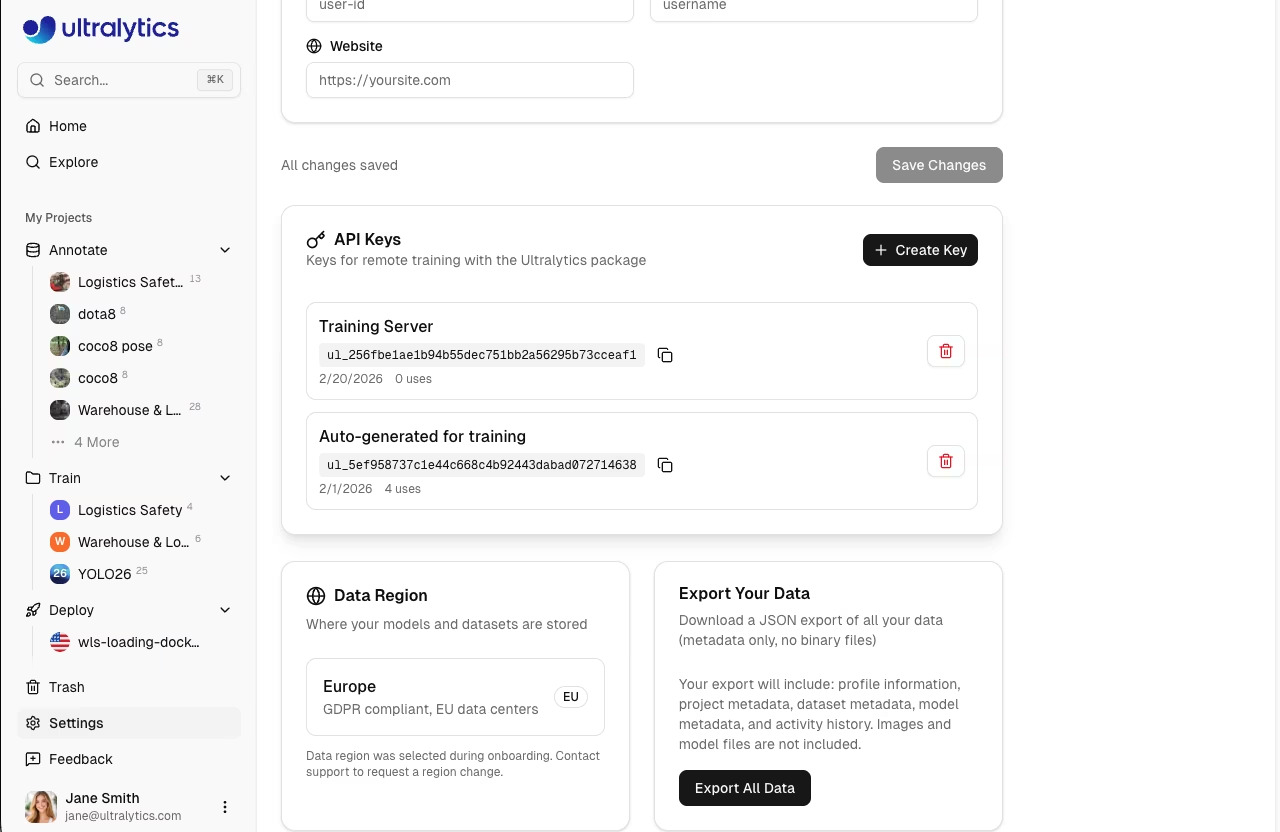
[Ultralytics Platform](https://platform.ultralytics.com) API keys enable secure programmatic access for remote training, inference, and automation. Create named keys with AES-256-GCM encryption for different use cases.
|
|
|
|
|
|
|
|
## Create API Key
|
|
|
|
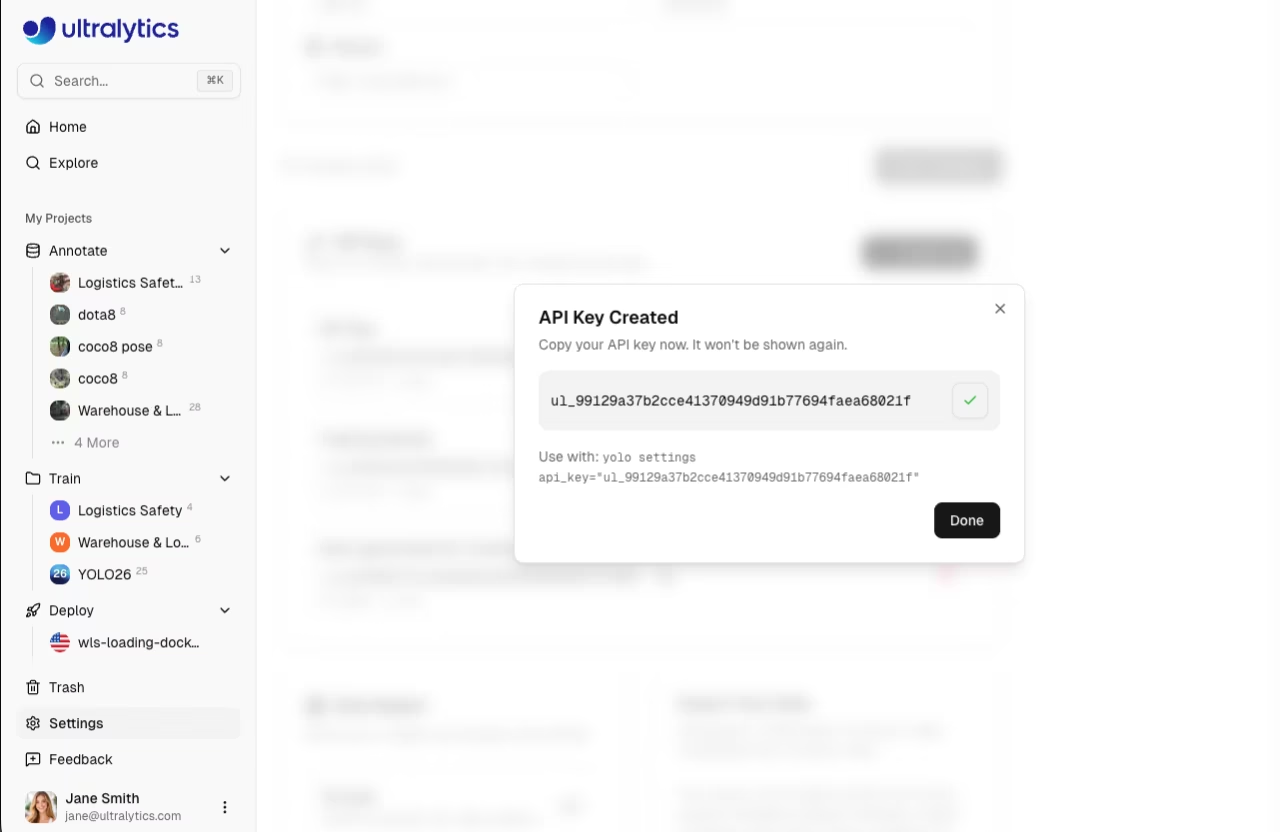
Create a new API key:
|
|
|
|
1. Go to **Settings > Profile**
|
|
2. Scroll to the **API Keys** section
|
|
3. Click **Create Key**
|
|
4. Enter a name for the key (e.g., "Training Server")
|
|
5. Click **Create Key**
|
|
|
|
|
|
|
|
### Key Name
|
|
|
|
Give your key a descriptive name:
|
|
|
|
- `training-server` - For remote training machines
|
|
- `ci-pipeline` - For CI/CD integration
|
|
- `local-dev` - For local development
|
|
|
|
### Key Display
|
|
|
|
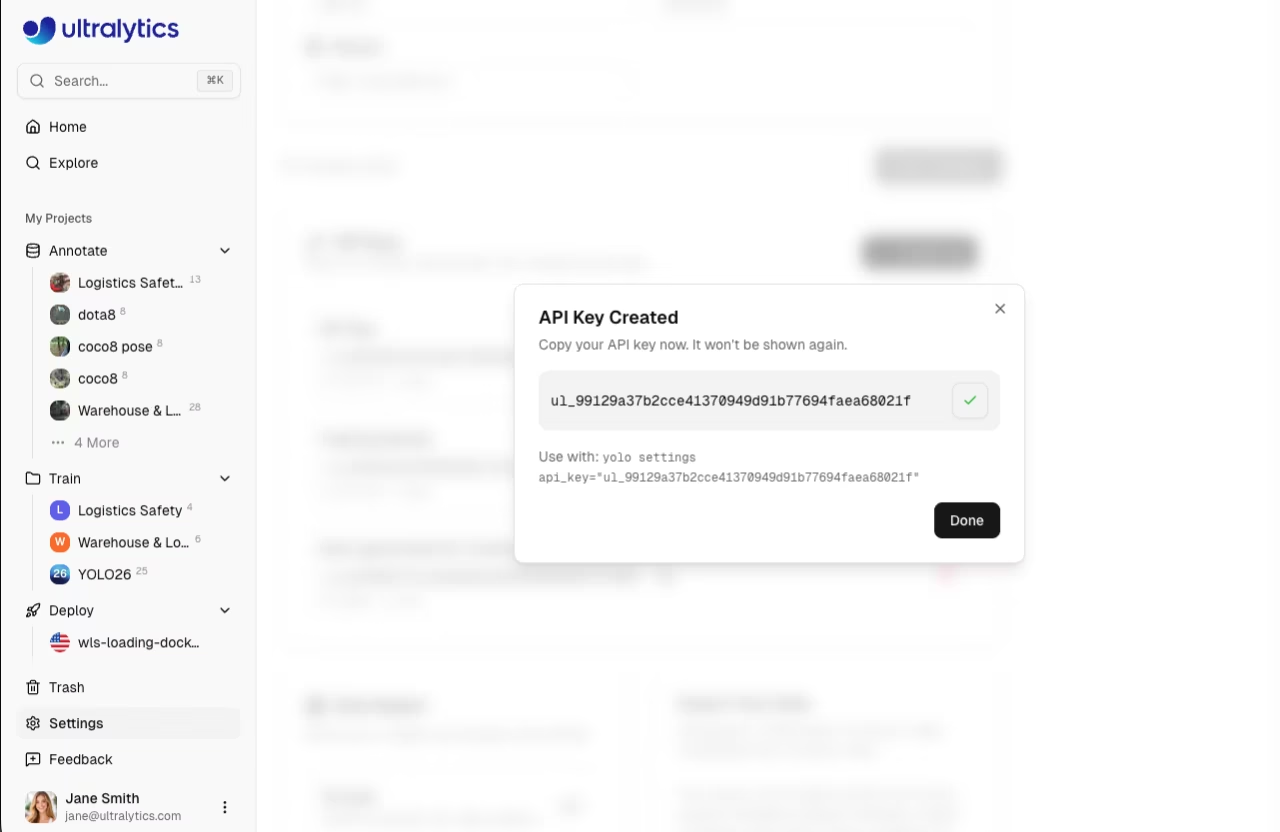
After creation, the key is displayed once:
|
|
|
|
|
|
|
|
!!! tip "Copy Your Key"
|
|
|
|
Copy your key after creation for easy reference. Keys are also visible in the key list — the platform decrypts and displays full key values so you can copy them anytime.
|
|
|
|
## Key Format
|
|
|
|
API keys follow this format:
|
|
|
|
```
|
|
ul_a1b2c3d4e5f60718293a4b5c6d7e8f90a1b2c3d4
|
|
```
|
|
|
|
- **Prefix**: `ul_` identifies Ultralytics keys
|
|
- **Body**: 40 random hexadecimal characters
|
|
- **Total**: 43 characters
|
|
|
|
### Key Security
|
|
|
|
- Keys are stored with **AES-256-GCM encryption**
|
|
- Authentication uses SHA-256 hash for fast prefix lookup and hash comparison
|
|
- Full key values are never stored in plaintext
|
|
|
|
## Using API Keys
|
|
|
|
### Environment Variable
|
|
|
|
Set your key as an environment variable:
|
|
|
|
=== "Linux/macOS"
|
|
|
|
```bash
|
|
export ULTRALYTICS_API_KEY="ul_your_key_here"
|
|
```
|
|
|
|
=== "Windows"
|
|
|
|
```powershell
|
|
$env:ULTRALYTICS_API_KEY = "ul_your_key_here"
|
|
```
|
|
|
|
### YOLO CLI
|
|
|
|
Set the key using the YOLO CLI:
|
|
|
|
```bash
|
|
yolo settings api_key="ul_your_key_here"
|
|
```
|
|
|
|
### In Code
|
|
|
|
Use the key in your Python scripts:
|
|
|
|
```python
|
|
import os
|
|
|
|
# From environment (recommended)
|
|
api_key = os.environ.get("ULTRALYTICS_API_KEY")
|
|
|
|
# Or directly (not recommended for production)
|
|
api_key = "ul_your_key_here"
|
|
```
|
|
|
|
### HTTP Headers
|
|
|
|
Include the key in API requests:
|
|
|
|
```bash
|
|
curl -H "Authorization: Bearer ul_your_key_here" \
|
|
https://platform.ultralytics.com/api/...
|
|
```
|
|
|
|
See the [REST API Reference](../api/index.md) for all available endpoints.
|
|
|
|
### Remote Training
|
|
|
|
Enable metric streaming with your key.
|
|
|
|
!!! warning "Package Version Requirement"
|
|
|
|
Platform integration requires **ultralytics>=8.4.14**. Lower versions will NOT work with Platform.
|
|
|
|
```bash
|
|
pip install "ultralytics>=8.4.14"
|
|
```
|
|
|
|
```bash
|
|
export ULTRALYTICS_API_KEY="ul_your_key_here"
|
|
yolo train model=yolo26n.pt data=coco.yaml project=username/project name=exp1
|
|
```
|
|
|
|
See [Cloud Training](../train/cloud-training.md#remote-training) for the complete remote training guide.
|
|
|
|
## Manage Keys
|
|
|
|
### View Keys
|
|
|
|
All keys are listed in `Settings > Profile` under the API Keys section:
|
|
|
|
Each key card shows the key name, the full decrypted key value (copyable), relative creation time, and a revoke button.
|
|
|
|
### Revoke Key
|
|
|
|
Revoke a key that's compromised or no longer needed:
|
|
|
|
1. Find the key in the API Keys section
|
|
2. Click the **Revoke** (trash) button
|
|
3. Confirm revocation
|
|
|
|
!!! warning "Immediate Effect"
|
|
|
|
Revocation is immediate. Any applications using the key will stop working.
|
|
|
|
### Regenerate Key
|
|
|
|
If a key is compromised:
|
|
|
|
1. Create a new key with the same name
|
|
2. Update your applications
|
|
3. Revoke the old key
|
|
|
|
## Workspace API Keys
|
|
|
|
API keys are scoped to the currently active workspace:
|
|
|
|
- **Personal workspace**: Keys authenticate as your personal account
|
|
- **Team workspace**: Keys authenticate within the team context
|
|
|
|
When switching workspaces in the sidebar, the API Keys section shows keys for that workspace. Editor role or higher is required to manage workspace API keys. See [Teams](settings.md#teams-tab) for role details.
|
|
|
|
## Security Best Practices
|
|
|
|
### Do
|
|
|
|
- Store keys in environment variables
|
|
- Use separate keys for different environments
|
|
- Revoke unused keys promptly
|
|
- Rotate keys periodically
|
|
- Use descriptive names to identify key purposes
|
|
|
|
### Don't
|
|
|
|
- Commit keys to version control
|
|
- Share keys between applications
|
|
- Log keys in application output
|
|
- Embed keys in client-side code
|
|
|
|
### Key Rotation
|
|
|
|
Rotate keys periodically for security:
|
|
|
|
1. Create new key with same name
|
|
2. Update applications to use new key
|
|
3. Verify applications work correctly
|
|
4. Revoke old key
|
|
|
|
!!! tip "Rotation Schedule"
|
|
|
|
Consider rotating keys every 90 days for sensitive applications.
|
|
|
|
## Troubleshooting
|
|
|
|
### Invalid Key Error
|
|
|
|
```
|
|
Error: Invalid API key
|
|
```
|
|
|
|
Solutions:
|
|
|
|
1. Verify key is copied correctly (including the `ul_` prefix)
|
|
2. Check key hasn't been revoked
|
|
3. Confirm environment variable is set
|
|
4. Ensure you're using `ultralytics>=8.4.14`
|
|
|
|
### Permission Denied
|
|
|
|
```
|
|
Error: Permission denied for this operation
|
|
```
|
|
|
|
Solutions:
|
|
|
|
1. Verify you're the resource owner or have appropriate workspace access
|
|
2. Check the key belongs to the correct workspace
|
|
3. Create a new key if needed
|
|
|
|
### Rate Limited
|
|
|
|
```
|
|
Error: Rate limit exceeded
|
|
```
|
|
|
|
Solutions:
|
|
|
|
1. Reduce request frequency — see the [rate limit table](../api/index.md#per-api-key-limits) for per-endpoint limits
|
|
2. Implement exponential backoff using the `Retry-After` header
|
|
3. Use a [dedicated endpoint](../deploy/endpoints.md) for unlimited inference throughput
|
|
|
|
## FAQ
|
|
|
|
### How many keys can I create?
|
|
|
|
There's no hard limit on API keys. Create as many as needed for different applications and environments.
|
|
|
|
### Do keys expire?
|
|
|
|
Keys don't expire automatically. They remain valid until revoked. Consider implementing rotation for security.
|
|
|
|
### Can I see my key after creation?
|
|
|
|
Yes, full key values are visible in the key list on `Settings > Profile`. The Platform decrypts and displays your keys so you can copy them anytime.
|
|
|
|
### Are keys region-specific?
|
|
|
|
Keys work across regions but access data in your account's region only.
|
|
|
|
### Can I share keys with team members?
|
|
|
|
Better practice: Have each team member create their own key. For team workspaces, each member with Editor role or higher can create keys scoped to that workspace.
|