
4.6 KiB
Executable File
4.6 KiB
Executable File
comments, description, keywords
| comments | description | keywords |
|---|---|---|
| true | Manage your Ultralytics Platform account including API keys, billing, and user settings with security and GDPR compliance. | Ultralytics Platform, account, settings, API keys, billing, security, GDPR |
Account Management
Ultralytics Platform provides comprehensive account management for API keys, billing, teams, and user settings. Manage your account securely with GDPR-compliant data handling.
Overview
The Account section helps you:
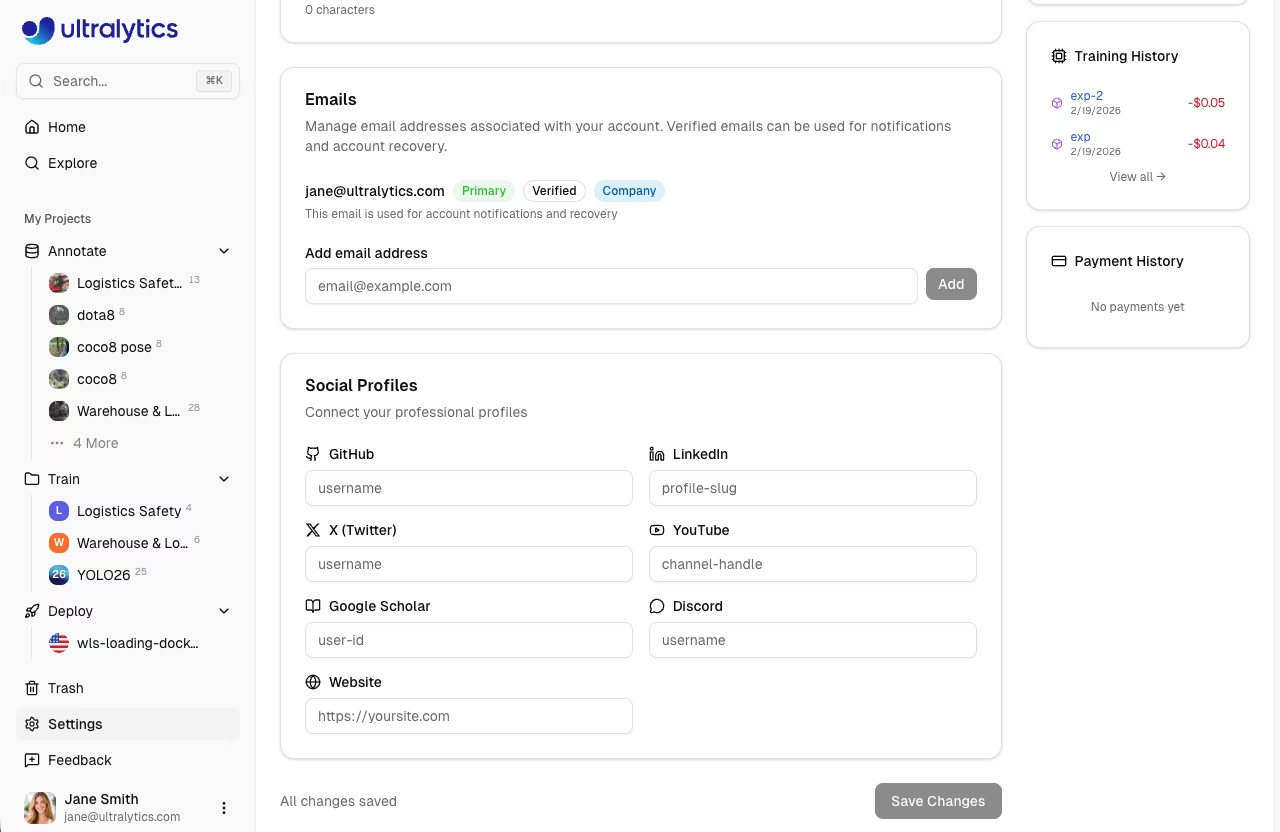
- Configure your profile, social links, and workspace preferences
- Create and manage API keys for remote training and programmatic access
- Track credit balance, payments, and billing
- Collaborate with team members using shared workspaces
- Monitor account activity and audit events
- Recover deleted items from Trash within 30 days
- Export your data for GDPR compliance
Account Features
| Feature | Description |
|---|---|
| Settings | Profile, social links, emails, data region, and API keys |
| Plans | Free, Pro, and Enterprise plan comparison |
| Billing | Credits, payment methods, and transaction history |
| Teams | Members, roles, invites, and seat management |
| Trash | Recover deleted items within 30 days |
| Emails | Add, remove, verify, and set primary email address |
| Activity | Event log with inbox, archive, search, and undo |
Settings Tabs
Account management is organized into tabs within Settings:
| Tab | Description |
|---|---|
Profile |
Display name, bio, company, use case, emails, social links, keys |
Plans |
Compare Free, Pro, and Enterprise plans |
Billing |
Credit balance, top-up, payment methods, transactions |
Teams |
Member list, roles, invites, seat allocation |
Trash |
Soft-deleted projects, datasets, and models |
Security
Ultralytics Platform implements multiple security measures:
Authentication
- OAuth2: Sign in with Google or GitHub
- Email/password: Sign in with email and password
- Session management: Secure, expiring sessions
Data Protection
- Encryption: All data encrypted at rest and in transit
- API Keys: AES-256-GCM encrypted storage
- Region isolation: Data stays in your selected region (US, EU, or AP)
Access Control
- Per-key management: Create and revoke API keys per workspace
- Team roles: Owner, Admin, Editor, and Viewer roles (Pro and Enterprise)
- Audit logging: Track all account activity in the Activity feed
Quick Links
- Settings: Profile, social links, data region, and account management
- Billing: Credits, plans, and payment management
- API Keys: Create and manage API keys
- Activity: Track account events and notifications
- Trash: Recover deleted projects, datasets, and models
FAQ
How do I change my username?
Usernames cannot be changed after account creation. Your username is set during onboarding and is permanent.
How do I change my email?
Manage your email addresses directly on the platform:
- Go to
Settings > Profile - Scroll to the Emails section
- Add a new email, verify it, and set it as primary
How do I delete my account?
Account deletion is available in Settings:
- Go to
Settings > Profile - Scroll to the bottom
- Click Delete Account
- Confirm deletion
!!! warning "Permanent Action"
Account deletion is permanent. All data, models, and deployments are removed. Export your data first if needed.
Is my data secure?
Yes, Ultralytics Platform implements:
- Secure encrypted connections (HTTPS)
- AES-256-GCM encryption for API keys
- Encryption at rest for all stored data
- Regional data isolation (US, EU, AP)
Can I change my data region?
No, data region is selected during signup and cannot be changed. To use a different region:
- Export your data
- Create a new account in desired region
- Re-upload your data
This ensures data residency compliance.