 Chengfang Lu
e72bc061c5
Chengfang Lu
e72bc061c5
Major changes:
- New frontend (platform/web/): Vite + React 18 + TypeScript + Tailwind
- 4-module navigation: 数据送标 / 模型管理 / 车队管理 / 系统管理
- Data catalog with charts (DMS/ADAS/Lane 3-tab view)
- Quality review workflow (标注质检): Good/Fine/Bad scoring with auto-advance
- Audit enhancements: batch operations, rejection categories, Feishu notifications
- Operation audit log (操作日志)
- World model simulation studio (仿真工坊)
- Dataset version management with snapshots and diff
- ADAS 7-class dataset integration (138K images organized + compressed)
- User management with Feishu integration and pagination
- CRUD/search/filter on all pages, card layout redesign
- PIL-optimized image overlay rendering
- Auto-snapshot on build, in_review workflow stage
- Removed embedded algorithm code (now in workspace)
4.0 KiB
YOLOv8/YOLOv5 C++ Inference with OpenCV DNN
This example demonstrates how to perform inference using Ultralytics YOLOv8 and YOLOv5 models in C++ leveraging the OpenCV DNN module.
🛠️ Usage
Follow these steps to set up and run the C++ inference example:
# 1. Clone the Ultralytics repository
git clone https://github.com/ultralytics/ultralytics
cd ultralytics

# 2. Install Ultralytics Python package (needed for exporting models)
pip install .

# 3. Navigate to the C++ example directory
cd examples/YOLOv8-CPP-Inference

# 4. Export Models: Add yolov8*.onnx and/or yolov5*.onnx models (see export instructions below)
#    Place the exported ONNX models in the current directory (YOLOv8-CPP-Inference).

# 5. Update Source Code: Edit main.cpp and set the 'projectBasePath' variable
#    to the absolute path of the 'YOLOv8-CPP-Inference' directory on your system.
#    Example: std::string projectBasePath = "/path/to/your/ultralytics/examples/YOLOv8-CPP-Inference";

# 6. Configure OpenCV DNN Backend (Optional - CUDA):
#    - The default CMakeLists.txt attempts to use CUDA for GPU acceleration with OpenCV DNN.
#    - If your OpenCV build doesn't support CUDA/cuDNN, or you want CPU inference,
#      remove the CUDA-related lines from CMakeLists.txt.

# 7. Build the project
mkdir build
cd build
cmake ..
make

# 8. Run the inference executable
./Yolov8CPPInference
✨ Exporting YOLOv8 and YOLOv5 Models
You need to export your trained PyTorch models to the ONNX format to use them with OpenCV DNN.
Exporting Ultralytics YOLOv8 Models:
Use the Ultralytics CLI to export. Ensure you specify the desired imgsz and opset. For compatibility with this example, opset=12 is recommended.
yolo export model=yolov8s.pt imgsz=640,480 format=onnx opset=12 # Example: 640x480 resolution
Exporting YOLOv5 Models:
Use the export.py script from the YOLOv5 repository structure (included within the cloned ultralytics repo).
# Assuming you are in the 'ultralytics' base directory after cloning
python export.py --weights yolov5s.pt --imgsz 640 480 --include onnx --opset 12 # Example: 640x480 resolution
Place the generated .onnx files (e.g., yolov8s.onnx, yolov5s.onnx) into the ultralytics/examples/YOLOv8-CPP-Inference/ directory.
Example Output:
yolov8s.onnx:
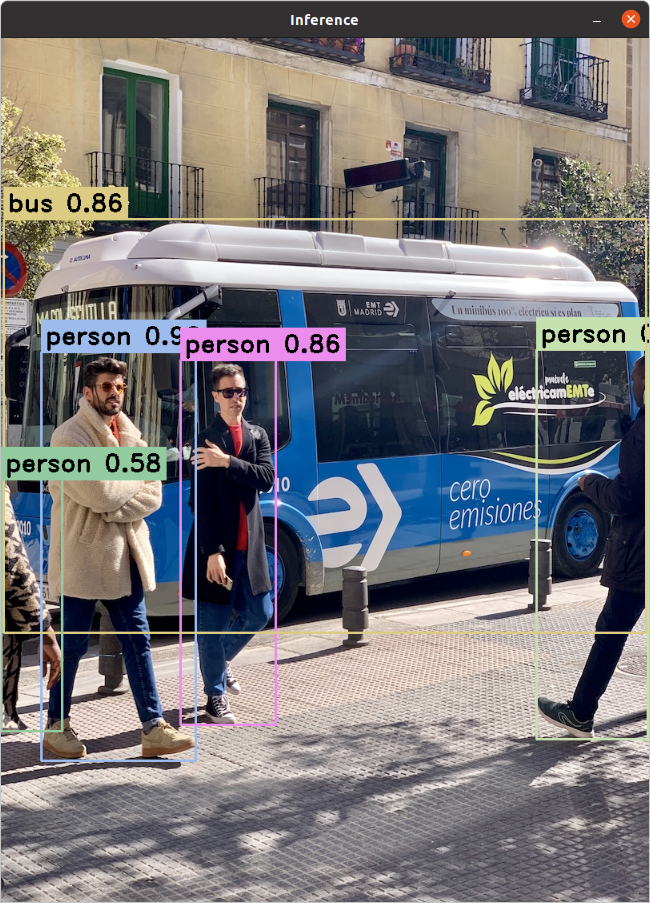
yolov5s.onnx:
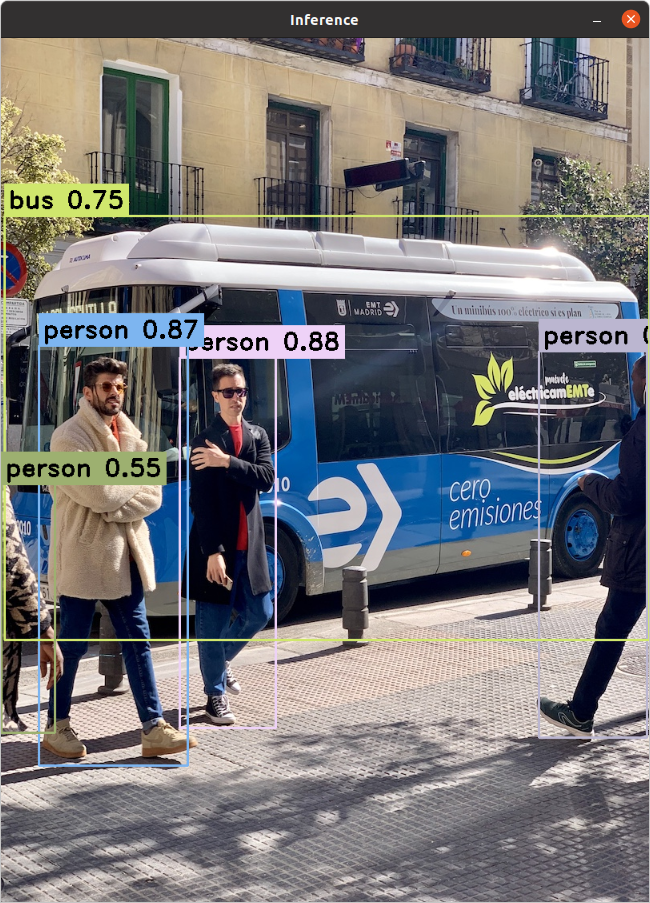
📝 Notes
- This repository utilizes the OpenCV DNN API to run ONNX exported models of YOLOv5 and Ultralytics YOLOv8.
- While not explicitly tested, it might theoretically work for other YOLO architectures like YOLOv6 and YOLOv7 if their ONNX export formats are compatible.
- The example models are exported with a rectangular resolution (640x480), but the code should handle models exported with different resolutions. Consider using techniques like letterboxing if your input images have different aspect ratios than the model's training resolution, especially for square
imgszexports. - The
mainbranch version includes a simple GUI wrapper using Qt. However, the core logic resides in theInferenceclass (inference.h,inference.cpp). - A key part of the
Inferenceclass demonstrates how to handle the output differences between YOLOv5 and YOLOv8 models, effectively transposing YOLOv8's output format to match the structure expected from YOLOv5 for consistent post-processing.
🤝 Contributing
Contributions are welcome! If you find any issues or have suggestions for improvement, please feel free to open an issue or submit a pull request. See our Contributing Guide for more details.